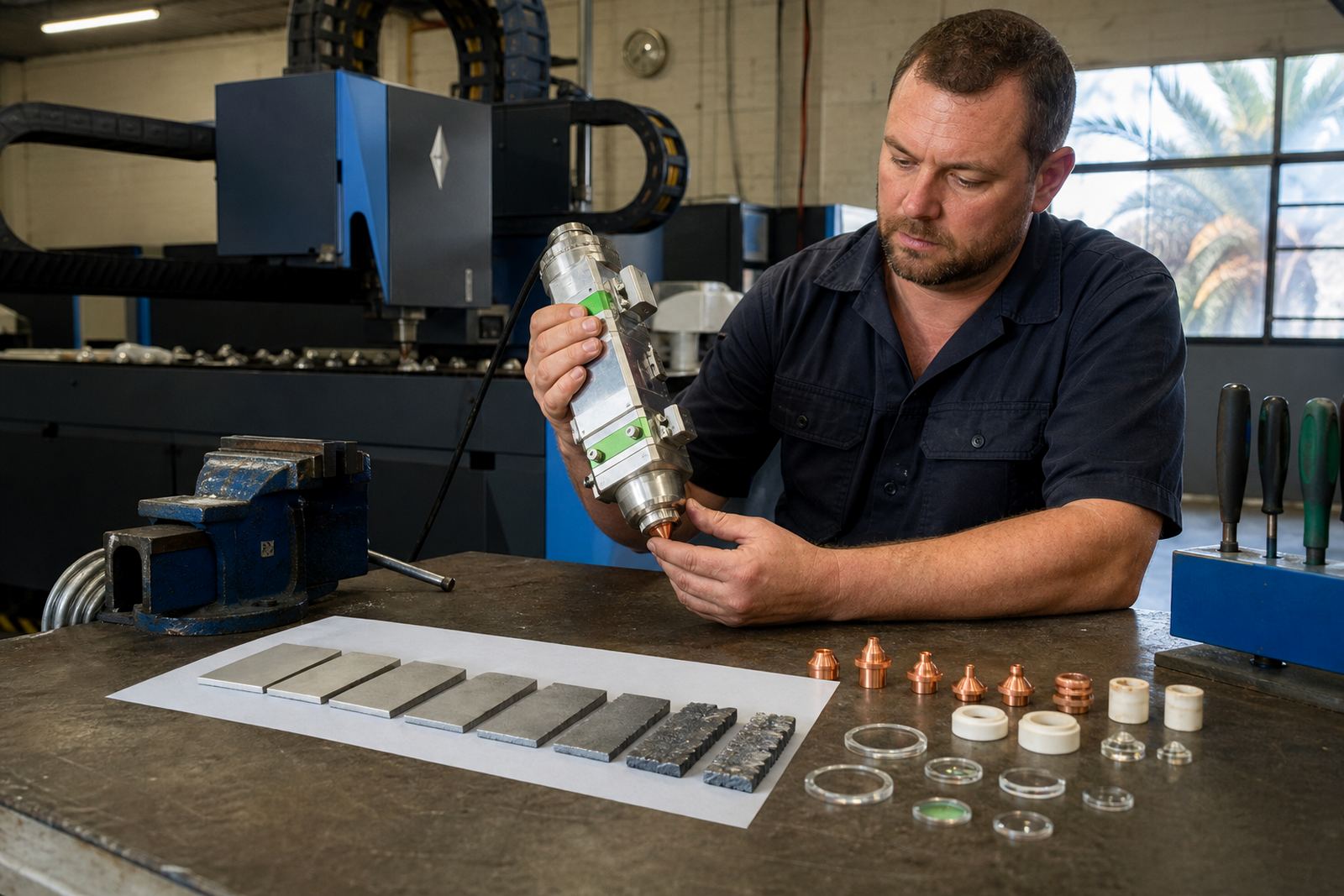


Start with a clean bench, not a clean excuse
Most damage to a cutting head optic starts before the part reaches the machine. A lens left on a dirty rag, a nozzle placed on bare steel or a protective window opened in a dusty corner all pick up grit that is hard to see and easy to miss. In a sheet-metal shop that runs mild steel one hour and stainless the next, a few specks are enough to leave a mark or disturb the cut.
Keep a small handling area for optics only. The table should stay dry, flat and free of swarf, coolant mist and grinding dust. Use a lint-free cloth, powder-free gloves and a capped container for each part size. Do not leave focus lenses, collimator lenses or protective windows loose beside drill bits, drill shavings or tape rolls, because the edges chip quickly when they knock together.
- Use one tray for clean parts and a separate tray for used parts.
- Keep the protective window pack closed until the moment it is needed.
- Do not place a ceramic ring next to metal off-cuts or abrasive pads.
Handle optics by the edge, not by the working surface
Fingerprints are more than a cosmetic mark. Skin oil burns into the surface when the beam passes through, and that patch can spread heat unevenly. Even a small thumbprint on a focus lens can create a hot spot that shows up later as poor cutting or a damaged coating. The same rule applies to collimator lenses and protective windows. Hold them by the outer edge only, and keep the optical face away from breath, cloth fibres and bench dust.
If a part must be moved between the store room and the machine, keep it in a sealed sleeve or its original casing. Never slide a lens across paper, foam or felt, because those materials leave fibres behind. A ceramic ring should also be treated carefully. Its job is to keep the head stable and aligned, so cracks or small chips can lead to uneven seating and poor gas flow around the nozzle.
- Wear clean gloves before opening any lens packet.
- Do not touch the coated face to test the fit.
- Check ceramic rings for hairline chips before installation.
Cleaning is a light touch job, not a wiping contest
Cleaning a lens or window is part of normal head care, but too much pressure causes more harm than the dirt you started with. Use approved optical wipes, a blower that does not spit oil and a cleaning fluid suitable for coated surfaces. Start with loose dust removal, then work from the centre outward using a fresh wipe. One hard rub can leave micro-scratches that catch the beam and shorten the life of the part.
For sheets cut in Durban or Cape Town, coastal humidity can leave a fine film on stored optics. That film looks harmless, yet it can trap grit when the part is fitted. In inland areas like Pretoria or Rustenburg, dry dust can sit on the surface and drag under the wipe if you rush the job. Slow, tidy cleaning beats a quick polish every time.
- Blow off loose dust before any wiping starts.
- Use a fresh wipe for each lens face.
- Stop if the cloth picks up grit or swarf.
Keep nozzle size, focus setting and lens condition in step
Handling rules are not only about touch. They also cover the way optics are put back into service. A nozzle with an uneven edge, a focus setting that has drifted or a protective window that is seated poorly can make a good machine perform badly. Before fitting parts, check that the nozzle matches the job thickness, the focus lens is seated square and the head seals are intact.
Capacitive height sensing depends on a clean, steady path around the nozzle and a correct stand-off. If the sensor, nozzle and lens stack are not aligned, the head may chase the plate and leave poor edge quality. A quick check of the gas path, the nozzle centring and the lens seating saves time later. It also reduces the chance of a crash that can split a ceramic ring or mark the protective window.
- Match the nozzle type to the cut and gas choice.
- Confirm focus settings after any lens or head service.
- Inspect the gas path for spatter or trapped dust.
For our lenses and optics, careful packing and proper storage are as important as correct fitting.
Storage mistakes show up later as scratches, fingerprints or parts that do not seat properly. Keep unused optics in their marked containers, away from vibration and away from open shelving where grinders, packing tape and fasteners are handled. For bench stock, a shallow drawer with dividers works better than a mixed box, especially when the team is moving quickly between jobs.
A clear label on each compartment helps prevent mix-ups between single-layer nozzles, double-layer nozzles, protective windows, ceramic rings and lens sizes. When parts travel to site work, pack them in a hard case so they do not rattle around in the bakkie. A small knock on the road from Spartan into Johannesburg can be enough to chip a rim or loosen a cover if the case is too loose.
- Use rigid cases for field work, not soft tool bags.
- Separate clean parts from removed parts during transport.
- Mark each compartment by size and type.
A Johannesburg example from the shop floor
A metal shop in the East Rand may run the morning shift on small batches and the afternoon shift on heavier plate. When the optic tray sits near the cutting bay, fine dust creeps into the storage box and the next lens fitting starts badly. The cleaner habit is simple. The technician wipes the bench first, opens one packet at a time and keeps the spare head parts closed until they are needed.
That routine helps on site as well. During bench service or on-site head alignment, our team checks nozzle centring, lens condition, protective windows and ceramic rings before the head goes back into work. If the cut quality has changed, the cause is often small: a marked window, a dirty focus lens, or a nozzle that was handled without care. The fix begins with disciplined handling, not guesswork.
For shops in Johannesburg, Pretoria, Durban, Cape Town and Rustenburg, those small routines help keep the cutting head more stable and the spares cleaner. If a part needs checking or a head needs alignment, use our contact form and send the job details through with the machine type and the part sizes you are using.